
How to estimate areas and materials before quoting?
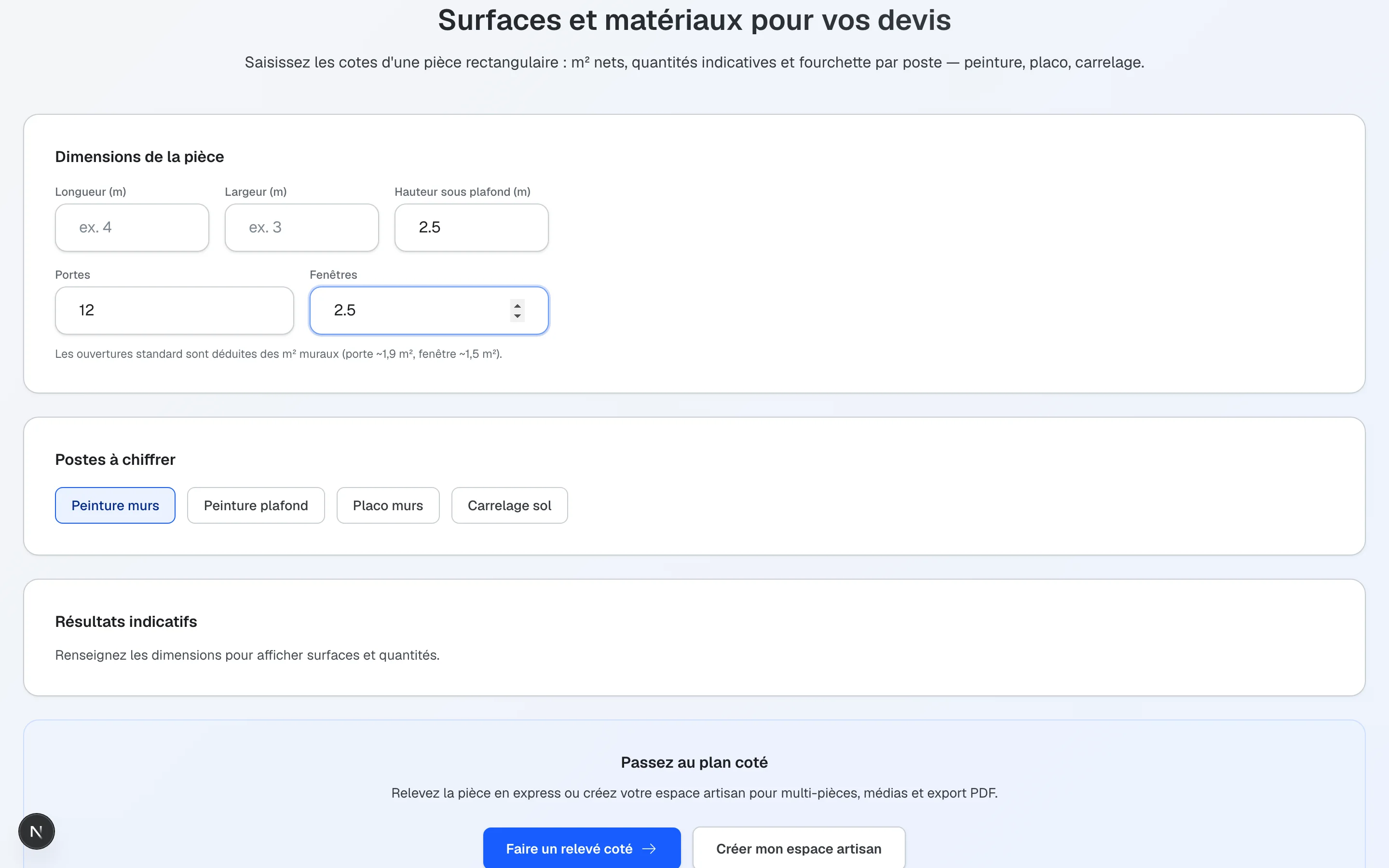
The Kodarch calculator helps tradespeople get indicative quantities (paint, plasterboard, floor tiles) from a rectangular room. Standard openings (doors, windows) are deducted from wall area for a closer on-site estimate.
To go further, try the express site survey: a dimensioned plan preview, then save to your pro workspace for multi-room surveys and PDF export.
Which trades are covered?
- Wall and ceiling paint: estimated litres based on coverage and coat count
- Plasterboard / wall lining: board count from net wall area
- Floor tiling: m² to order including waste factor
Discover Kodarch for tradespeople (client link, job site hub, file export).
How to use the calculator
1
Enter dimensions
Length, width and ceiling height of the rectangular room.
2
Add openings
Door and window counts to deduct usable wall area.
3
Select trades
Paint, plasterboard and/or tiling depending on what you are quoting.
4
Read quantities
Get net m² and indicative quantities to prepare an on-site quote.
What the calculator brings on site
- Fast quantities without a spreadsheet
- A baseline for painters, plasterers or tilers
- A bridge to the multi-room express survey
- No account required to try before the pro workspace
Frequently asked questions
Everything you need to know before creating your plan or estimating your renovation budget.
Do quantities replace my take-off?
No. They are orders of magnitude to prepare a quote. Always validate on site for the job.
Can I continue into a floor plan survey?
Yes. Dimensions can prefill the express survey, then you save in the pro workspace.
Do I need a professional account?
Not to try the calculator. A pro account keeps job sites, multi-room surveys and exports.